Overview
Automation has certainly increased the speed of creating purchase orders (POs). It is, however, noteworthy that speed at one point does not improve the entire procurement cycle. Heads of Accounts Payable (AP) and finance managers are more interested in the task after generating a PO.
Let’s consider a scenario where upstream automation creates documents that downstream teams cannot match against receipts and invoices. This is a major hurdle in purchase order automation. This process, when done without standardizing three-way matching rules, transfers additional work from procurement teams to accounts payable.
A purchase order is just one link in a longer procurement chain. A buyer may generate a PO in seconds through automation. An AP analyst, however, has to spend a long time investigating price variations, missing goods receipt records, or invoices that do not match purchasing data.
This blog talks about the impact of PO automation on AP and solutions to address this challenge. Let’s start with the scope of a three-way match.
Three-Way Matching- Crucial Downstream Link
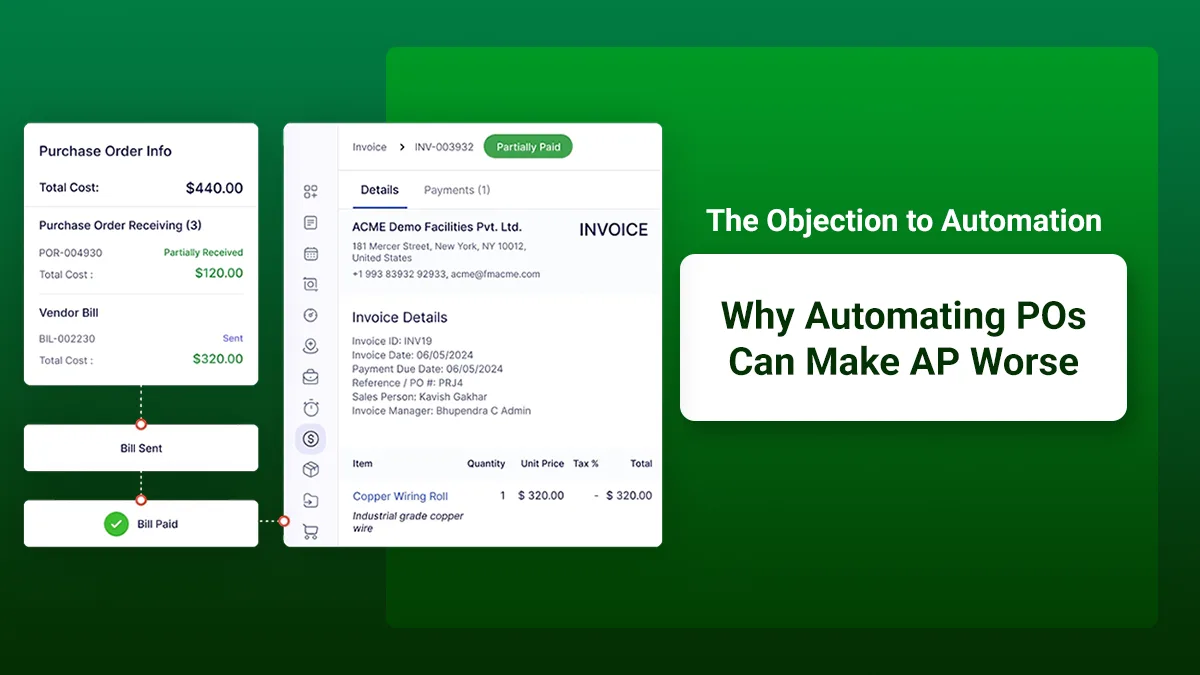
A three-way process for matching compares three records: purchase order, goods receipt, and supplier invoice. For example, a PO specifies 100 units at USD 50 each. If the goods receipt records only 90 units while the supplier invoice requests payment for 100, it becomes an invoice exception.
Here, the PO may have been generated perfectly, but the problem appears later because the three records do not match. It also happens when-
The invoice price differs from that mentioned in the PO
A receipt has not been recorded
The supplier references the wrong PO
Freight or tax is handled differently across systems
All these situations show the necessity of standardized invoice matching rules.
PO Automation- How It Increases Work for Accounts Payable
We can mention three mechanisms responsible for increasing the downstream workload.
1. More Transactions
Quicker PO creation can increase transactions. If downstream controls remain unchanged, AP may receive many invoices without having equivalent capacity to process exceptions. Automation can increase the speed of generating POs, but causing the rise in manual effort.
2. Inconsistent Rules
A three-way match should have defined rules. These rules should cover the aspects related to pricing, partial deliveries, invoice exceptions, and receipts of goods. If any of these aspects are not covered, even the procure to pay software may not determine whether an invoice should pass.
3. Missing Data
A supplier invoice may appear to be incorrect due to the lack of a corresponding receipt. Yet the goods may already be there in a warehouse. AP then contacts the procurement team or the requester to get the missing data. This makes AP invoice processing more cumbersome and time-consuming.
These factors related to PO automation can lead to more work for AP. Heads of AP and finance managers also cope with the issue of invoice exceptions.
Invoice Exceptions- Upstream Problem to Address
These exceptions are potential indicators of upstream process weakness. Let’s go through the potential causes of specific AP exceptions in the following table:
Type of AP Exception | Potential Upstream Cause |
Quantity mismatch | Incorrect purchase order |
Price mismatch | PO not updated after commercial change |
Missing receipt | Delayed receiving or service confirmation |
Wrong purchase order reference | Supplier or purchasing process issue |
Tax discrepancy | Inconsistent master data |
Duplicate-looking invoice | Poor PO/Invoice reference controls |
AP exceptions are downstream bottlenecks, and specific upstream problems are responsible for them. It is, however, necessary for the company to investigate the source if the same exception appears repeatedly.
Why Invoice Automation is Not Enough
When it comes to capturing invoices, extracting information, and reducing repetitive data entry, invoice automation is highly beneficial. An accounts payable workflow can leverage the benefits of automation in streamlining invoice workflows and reducing manual handling.
Let’s understand it through an example. If an invoice contains 100 units and the system has a receipt for 90, automated invoice capture can identify the discrepancy quickly. This automation, however, cannot fix an upstream mismatch or resolve the underlying issue. Even if companies opt for invoice automation, exceptions may remain.
The objective should therefore be to combine automation with standardized processes. Invoice matching needs reliable data and defined exception ownership.
PO Automation- What You Should Standardize Before Implementing It
Organizations do not need to eliminate every process variation before adopting automation. They should, though, establish the rules for downstream systems.
Here are the aspects to be standardized before embracing PO automation-
Matching rules: It is necessary to define the way to handle price, quantity, tax, freight, and service invoices.
Define Tolerance: Finance and procurement teams should establish proper thresholds and approval paths.
Improve Discipline: A three-way match cannot work reliably when there is no discipline in service confirmation or receipts of products.
Maintain Consistency: Purchase order matching should get consistent support from item descriptions, units of measure, and payment terms.
Assign Ownership: When an invoice fails PO invoice matching, the workflow should identify who will take ownership of the exception.
Once all these rules are established, companies become ready for purchase order automation.
Where Procure Suite Fits
As an advanced procure to pay software, Procure Suite connects all the activities across sourcing, supplier management, approvals, and downstream processes. It helps companies streamline the accounts payable workflow by handling the wider transaction lifecycle.
Procure Suite takes a connected approach to improving purchasing, invoice processing, and payment. It bridges the gap between upstream purchasing activity and downstream AP controls effectively. It maintains the procurement-to-pay process with robust built-in tools.
Measurement to Do Before and After Automation
A successful procurement process automation should reduce total friction and misleading efficiency gains. Finance leaders can monitor PO automation, recurring invoice exceptions, missing goods receipts, and AP touch time per invoice. They should also monitor exception resolution time.
Other measures like percentage of invoices requiring manual intervention and variation between price and quantity can determine the efficacy of automation. A reduction in PO creation time alongside an increase in exception handling shows that the organization has improved an upstream step.
Concluding Remarks
It is fair to say that automating PO generation without standardizing three-way match rules, receiving practices, tolerances, and exception ownership can simply shift manual work into AP. It can make procurement faster, but AP has to spend more time resolving mismatches.
A more effective way is to connect the entire procure-to-pay workflow. When purchasing data, receipts, invoices, matching rules, and exception workflows are in sync, automation can improve the process.
As a Head of AP or a finance manager, you can simply ask a question before embracing automation. The question is: Is the organization removing manual work or simply moving it downstream through automation? The answer to this question can lead you to standardized purchase order automation.