Overview
A requisition is not a problem in the procurement process. When a procurement executive sends an email regarding a requisition to their manager. The manager is looking for a quote. Finance queries the cost, and the category manager shortlists the supplier.
This can be a tedious task if someone forwards an outdated quote. What starts as one request can turn into 10, 20, or even a dozen emails because of this manual process. This is where procurement automation comes into play. It has a set workflow and predefined policies.
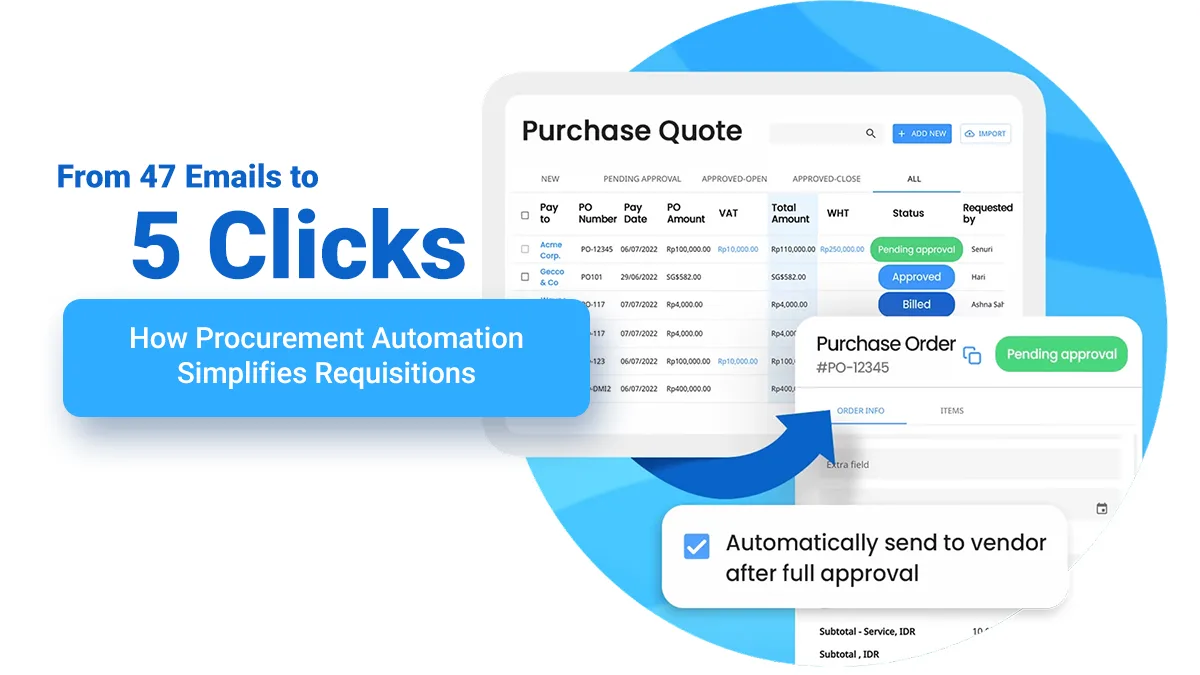
A company can use purchase requisition software that helps it maintain consistency. The procurement workflow automation is ensured by such software, and requests are routed according to the company’s delegation of authority. As a result, procurement needs fewer emails and a controlled requisition-to-order process.
Let's dig deeper into procurement automation by comparing before and after situations.
Before- When Purchase Requisition Passes Through Inboxes
Let’s take an example of a laptop requirement. Traditionally, the process starts in the morning at 9 am. An employee sends an email to their manager stating that the new sales team needs 25 laptops. This message has a general requirement with quantity, but other important information is missing.
If there is a requirement for laptops, it is essential to mention its configuration, budget, cost center, supplier name, and whether an existing contract is in place. The lack of this information causes delays even before the procurement team has received a formal purchase requisition.
After around half an hour, the manager confirms the requirement and forwards the email to the procurement department. Now, the real trouble starts. Someone from the procurement team asks for the budget and delivery location through an email.
After an hour, the IT department joins the purchase requisition process. The original 25 laptops’ requirement now changes to a specific configuration with memory, processor, OS, warranty, and accessories. The procurement team reconciles the original email with the IT department’s email.
Once specifications and quantity are set, the procurement executives contact multiple suppliers for quotation requests, clarifications, attachments, price revisions, etc. This results in several email trails, and the procurement team has to keep a spreadsheet to compare the available suppliers.
Day 2 comes, and the finance department steps in to confirm whether the expenditure is within the allocated budget. The procurement team forwards the quote, and the accountant asks about the cost center. This inquiry is done through an email. After being satisfied, the finance department approves the quotation.
Day 3 comes. The procurement department forwards the request to a senior manager after getting approval from the finance department. The approver asks for the quotation and business justification in the email. Finally, the PO is prepared on Day 4, and the procurement team initiates the process.
It is fair to say that the purchase order workflow is not straightforward throughout the process.
After- Five Clicks Can Replace Email Threads
When the company places the same requirement inside purchase requisition software, the entire process changes.
This software can give a better procurement intake experience to the employee. As the system already knows the employee’s department, role, and other information, only a few clicks can complete the process effectively.
Click 1. Select the item
If the employee is searching for any item, catalog buying enables them to see approved products or suppliers. This can help employees select the required item with proper configuration.
Click 2. Enter quantity and delivery details
The system enables the employee to enter the necessary details and populates other information automatically where it is available. This is guided buying in practice, as employees are guided through the process.
Click 3. Submit your requisition
The employee can submit a structured purchase requisition in a dedicated software that provides a major advantage. This requisition becomes a trackable transaction with defined status, ownership, and approval requirements.
Click 4. Automated approval routing
An automated procurement approval workflow can reduce manual coordination. The request for approval follows the proper path according to the company’s delegation of authority rather than relying on the requester.
Click 5. Convert Approval into Purchasing
Once approved, the system can move the request into the organization’s purchasing process. Such purchase order automation can reduce the chances of duplicate data entry and accelerate PO creation.
Here is what the journey of automation in purchasing looks like-
Employee requirement → Purchase requisition → Automated procurement approval workflow → Approved requisition → Purchase order
Here is a quick table of the practical differences between an email-driven or traditional process and a structured, automated workflow.
Stage | Email-dominated Process | Automated Process |
Procurement intake | Incomplete details | Structured procurement intake |
Product selection | Manual specification and supplier search | Catalog buying and guided buying |
Information gathering | Emails, attachments, spreadsheets | Standardized requisition fields |
Approval | Manual forwarding and follow-ups | Automated approval routing |
Delegation of authority | Checked manually | Applied through configured rules |
Status tracking | Email threads | Centralized requisition |
PO creation | Manual re-entry | Purchase order automation |
Requisition-to-order | Multiple points | Connected workflow |
Employee experience | Email-related issues | Selection requirements |
Procurement experience | Chase, clarify, reconcile | Review, control, manage |
It is fair to say that automation does not remove people from procurement, but gives them more important roles.
Benefits of Automation for Category Managers
Category managers consider procurement automation a feature that creates a more consistent buying environment. A structured approach to purchasing can establish preferred suppliers, approved products, and category-specific rules.
The category manager can spend less time resolving basic intake problems because of automation. This enables the manager to spend more time on strategic tasks, including category strategy, performance analysis, contract utilization, supplier risk, and compliance.
For category managers, procurement workflow automation is essential to handle repetitive coordination around procurement. As a result, they can apply category expertise and create greater value.
How Requisitioners Benefit from Guided Buying
Procurement teams strive to make the process easier for employees. These teams also ensure that employees follow the right process for purchasing. Guided buying makes it possible for employees. Mostly, a requisitioner should not need to know about the purchasing process and details.
A guided purchasing process enables employees to search for an item, select an approved option, provide the required information, and submit the request. This guided transaction changes the employee purchasing experience.
It reduces one of the most common procurement issues: incomplete requests. It assists procurement teams in getting the necessary information in a single step, which is necessary for accelerating the process.
Scope of Procurement Intake to Requisition-to-Order
A purchase requisition solution can convert unstructured procurement intake to a connected process. In the traditional, email-powered model, the employee starts a conversation and puts in a request.
The procurement team asks for more information. Then someone approves, someone checks policy, and someone creates a purchase order. Each of these steps can create another hurdle. An automated model removes all these hurdles and offers the following predefined stages:
Procurement intake → Purchase requisition → Approval routing → Delegation of authority → Approved requisition → Purchase order workflow
This connected requisition-to-order process gives procurement teams a clearer picture of requirements, approval, and transactions. Organizations can connect this structured process with supplier management, contracts, sourcing, purchasing, and other parts of the S2P lifecycle.
What to Automate First
Various purchases have different levels of automation. High-volume, repeatable purchasing in office supplies, standard IT equipment, approved software subscriptions, and common operational materials are suitable for guided buying. This is because the organization knows what it wants to buy.
More complex or strategic purchases, however, may require a different approach. For example, a new technology platform, major consulting engagement, or strategic supplier relationship may require sourcing, negotiation, or category-manager intervention.
The ultimate goal should be to choose the right path and requisition management software to automate the process.
Concluding Remarks
The most important change procurement automation brings is that it follows a predetermined workflow for structuring, categorizing, and approving purchases. Advanced purchase requisition management software can shift manual employee purchasing to guided, catalog buying.